EOBI Registration Check by CNIC
To check EOBI registration by CNIC, open the official Insured Person Details page. Type your 13 digit CNIC with dashes in the New NIC box and press Generate Report. If you are registered, your EOBI No, employer and contribution months appear.
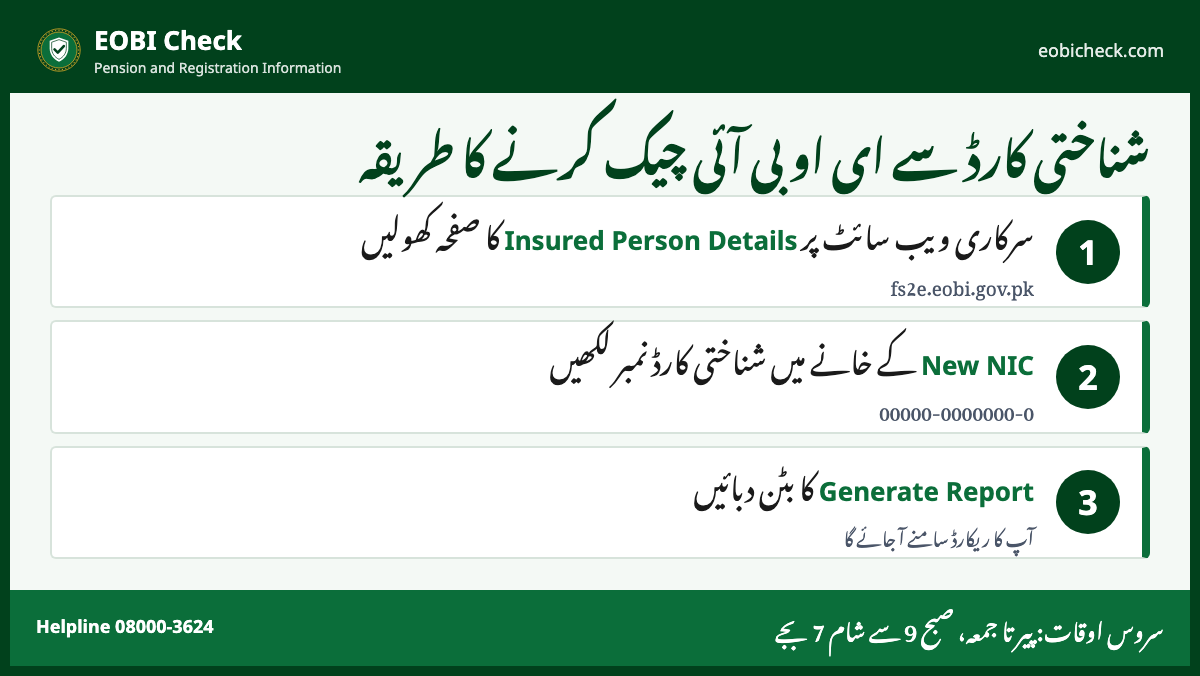
How to check EOBI registration online
- Open fs2e.eobi.gov.pk Insured Person Details.
- Type your CNIC in the New NIC box as 00000-0000000-0. Or type your EOBI No if you know it.
- Leave the Old NIC box empty unless you were registered with an old 11 digit NIC.
- Press Generate Report.
- Read your EOBI No, employer name and the months of contribution.
Online records open Monday to Friday, 9:00 AM to 7:00 PM. Outside these hours the page may not respond.
What the result means
| You see | Meaning |
|---|---|
| Your name, EOBI No and employer | You are registered. Your employer has reported you. |
| Months listed against each employer | Contribution received for those months. |
| Gaps in months | Contribution missing for that time. Ask your employer, then your regional office. |
| No record found | Not registered, or registered with a different CNIC or old NIC. |
Not registered? What to do
- Try again with your old NIC number in the Old NIC box, if you had one.
- Ask your employer for your EOBI No. Employers register workers in the Facilitation System.
- If your employer has not registered you, you can apply yourself through Register Self Insured Person.
- Visit the EOBI regional office that covers your employer with your CNIC and appointment letter.
Since 1 July 2008, every establishment with 5 or more employees must register with EOBI. Smaller ones can join by choice.
Why your registration matters
- No registration means no record of contribution.
- Pension needs 15 years of contribution. Every missing month delays it.
- Your family’s Survivor’s Pension also depends on this record.
رجسٹریشن چیک کرنے کا طریقہ
- سرکاری ویب سائٹ پر Insured Person Details کھولیں۔
- New NIC میں شناختی کارڈ نمبر لکھیں۔
- Generate Report دبائیں۔
- ریکارڈ نہ ملے تو اپنے آجر یا ریجنل دفتر سے رابطہ کریں۔
Frequently asked questions
How can I check my EOBI registration by CNIC?
Open Insured Person Details on fs2e.eobi.gov.pk, type your CNIC in the New NIC box and press Generate Report. Your EOBI No and employer appear if you are registered.
What is an EOBI number?
The EOBI No is your registration number with EOBI. It is printed on your EOBI registration card and shows in Insured Person Details.
Can I register myself with EOBI?
Yes. The Facilitation System has a Register Self Insured Person form. You can also apply at your regional office with your CNIC and employer details.
Is EOBI registration mandatory?
Yes, for establishments with 5 or more employees since 1 July 2008. The employer must register within 30 days of the Act applying to it.
Why does my EOBI record show no data?
Your employer may not have reported you, or the record uses an old NIC. Try the Old NIC box, then contact your employer or regional office.